[개발-배포-자동화] 1. 개발 : Memo App (FastApi, MySQL, Svelte)
[개발-배포-자동화] 1. 개발 : FastAPI + Svelte + MySQL 환경구성
FastAPI + svelte + MySQL을 사용해 간단한 메모장 애플리케이션을 만들고 jenkins를 사용해 AWS에 자동배포(CICD) 하려함 컨테이너 구성 python:3.8.16-slim-buster : FastApi node:16 : svelte mysql : mysql # memoApp/docker-compo
sso-y.tistory.com
지난 글에서 개발 환경 구성에 이어 본격적인 개발을 시작한다.
우선 FastAPI와 DB를 연동하여 메모 CRUD를 개발하고
이후 Svelte와 연동할 것이다.
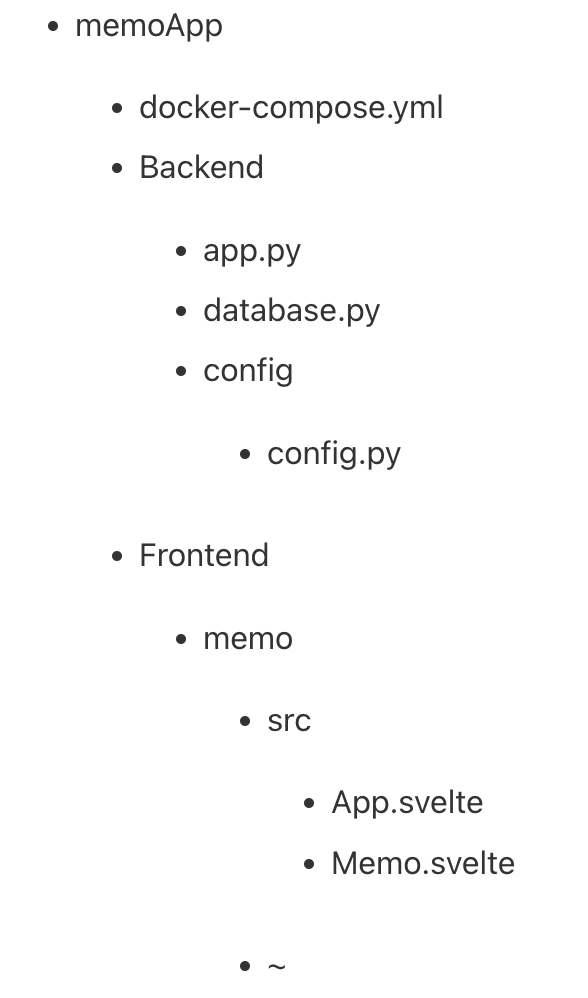
폴더 구조
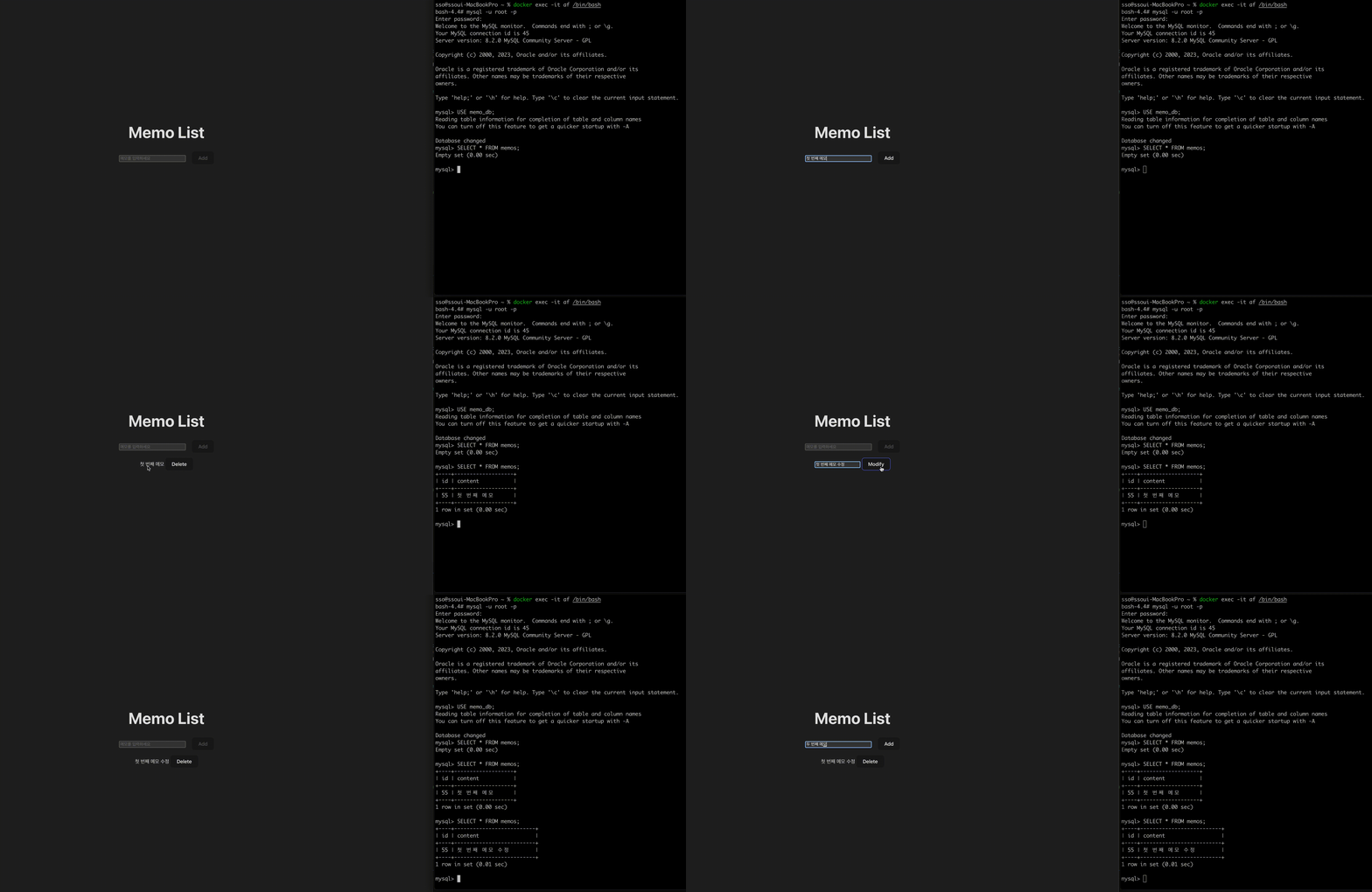
FastAPI ⇄ MySQL
아래는 전부 FastAPI를 위해 띄운 python 컨테이너에서 실행을 전제로 한다.
DB 연결부터 시작하자.
# app/Backend/config/config.py

# Database configuration
DB_CONFIG = {
    'host': 'mysql',
    'user': 'root',
    'password': '비밀번호',
    'database': 'memo_db',
}
여기서 host를 'mysql'로 쓸 수 있는 이유는 docker-compose.yml에서 service를
'FastAPiApp', 'svelteApp', 'mysql'로 정의했기 때문이다.
# app/Backend/database.py

import pymysql.cursors
from config.config import DB_CONFIG

connection = pymysql.connect(
    host=DB_CONFIG['host'],
    user=DB_CONFIG['user'],
    password=DB_CONFIG['password'],
    db=DB_CONFIG['database'],
    cursorclass=pymysql.cursors.DictCursor
)
FastAPI로 돌아가 api를 만들어보자.
# app/Backend/app.py

from fastapi import FastAPI, HTTPException
from database import create_memo, read_memo, update_memo, delete_memo
import os

app = FastAPI()


# 메모 생성
@app.post("/memos/")
async def create_memo_api(new_memo: dict):
    content = new_memo.get('content')
    create_memo(content)
    return {"message": "Memo created successfully"}

# 메모 조회
@app.get("/memos/all")
async def read_memo_api():
    return read_memo()

# 메모 수정
@app.put("/memos/{memo_id}")
async def update_memo_api(modify_memo: dict):
    id = modify_memo.get('id')
    content = modify_memo.get('content')
    update_memo(id, content)
    return {"message": "Memo updated successfully"}

# 메모 삭제
@app.delete("/memos/{memo_id}")
async def delete_memo_api(memo_id: int):
    delete_memo(memo_id)
    return {"message": "Memo deleted successfully"}


if __name__ == "__main__":
    os.system('uvicorn app:app --host 0.0.0.0 --port 8000 --reload')
코드 가독성을 위해 DB를 다루는 부분은 앞선 database.py에 추가할 것이다.
간단하게 api만 정의해두고 다시 DB로 넘어가자.
# app/Backend/database.py

import pymysql.cursors
from fastapi import HTTPException
from config.config import DB_CONFIG

connection = pymysql.connect(
    host=DB_CONFIG['host'],
    user=DB_CONFIG['user'],
    password=DB_CONFIG['password'],
    db=DB_CONFIG['database'],
    cursorclass=pymysql.cursors.DictCursor
)

# 메모 생성
def create_memo(content: str):
    with connection.cursor() as cursor:
        sql = "INSERT INTO memos (content) VALUES (%s)"
        cursor.execute(sql, (content))
        connection.commit()

# 메모 조회
def read_memo():
    with connection.cursor() as cursor:
        sql = "SELECT * FROM memos"
        cursor.execute(sql)
        result = cursor.fetchall()

        if result is None:
            raise HTTPException(status_code=404, detail="Memo not found")

        return result

# 메모 수정
def update_memo(memo_id: int, content: str):
    with connection.cursor() as cursor:
        sql = "UPDATE memos SET content = %s WHERE id = %s"
        cursor.execute(sql, (content, memo_id))
        connection.commit()

        if cursor.rowcount == 0:
            raise HTTPException(status_code=404, detail="Memo not found")

# 메모 삭제
def delete_memo(memo_id: int):
    with connection.cursor() as cursor:
        sql = "DELETE FROM memos WHERE id = %s"
        cursor.execute(sql, (memo_id))
        connection.commit()

        if cursor.rowcount == 0:
            raise HTTPException(status_code=404, detail="Memo not found")
끝이다!
'http://localhost:9000/docs'로 접속해 API를 테스트할 수 있다.
FastAPI ⇄ Svelte
우선 FastAPI와 Svelte의 통신을 위해 CORS를 추가하자.
# app/Backend/app.py

from fastapi.middleware.cors import CORSMiddleware

app.add_middleware(
    CORSMiddleware,
    allow_origins=["http://localhost:9173"],  # Svelte 앱의 주소
    allow_credentials=True,
    allow_methods=["*"],
    allow_headers=["*"],
)
이제 Frontend로 넘어가자.
Svelte를 위해 띄운 nodejs 컨테이너 내에서 실행한다.
'App.svelte'와 'Memo.svelte'로 구분했다.
'App.svelte'에서는 메모를 조회하고 추가할 수 있으며
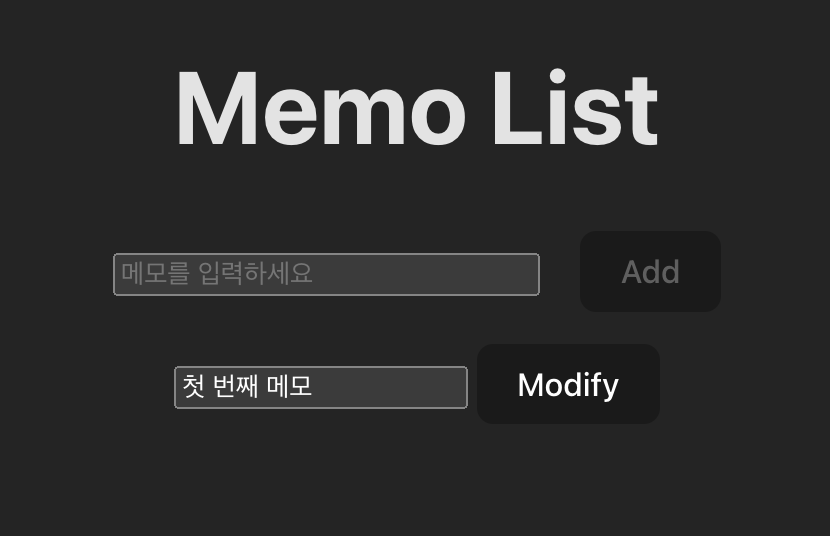
'Memo.svelte'에서는 메모의 수정과 삭제를 할 수 있도록 했다.
svelte에 익숙하지 않아 검색을 많이 했지만 코드는 그렇게 어렵지 않다.
처음이라면 getMemo(조회), createMemo(생성), deleteMemo(삭제), updateMemo(수정) 순으로 봐보자.
# app/Frontend/memo/src/App.svelte

<script>
  import Memo from './Memo.svelte'

  let memoText = '';
  let memos = [];

  async function getMemo(){
    const response = await fetch('http://localhost:9000/memos/all');
    const data = await response.json();
    memos = data;
  }

  async function createMemo() {
    const response = await fetch('http://localhost:9000/memos/', {
      method: 'POST',
      headers: {
        'Content-Type': 'application/json'
      },
      body: JSON.stringify({ content: memoText })
    });

    if (response.status === 200) {
      memoText = ""; // 입력 필드 초기화
      getMemo(); // 메모 목록 갱신
    }
  }

  getMemo()
</script>

<div>
  <h1> Memo List </h1>
  <form on:submit|preventDefault={createMemo}>
    <input size="40" placeholder="메모를 입력하세요" bind:value={memoText}/>
    <button disabled={!memoText}>Add</button>
  </form>
  <ul>
    {#each memos as memo}
        <Memo memo={memo} on:delete={getMemo}/>
    {/each}
  </ul>
</div>

<style>
  button {
    margin-left: 1rem;
  }

	h1 {
    margin-top: 0;
	}

  ul {
    list-style: none; /* removes bullets */
    margin-left: 0;
    padding-left: 0;
  }
</style>
# app/Frontend/memo/src/Memo.svelte
<script>
import { createEventDispatcher } from 'svelte';
import { fade } from 'svelte/transition';
const dispatch = createEventDispatcher();
export let memo;
let isEditing = false;
let editText = memo.content;
let originalText = memo.content;
function enableEdit() {
isEditing = true;
editText = memo.content;
originalText = memo.content; // 수정하기 전의 내용 보관
}
function saveEdit() {
isEditing = false;
if (editText !== originalText) {
updateMemo(); // 수정 내용이 변경된 경우에만 업데이트
}
}
async function updateMemo() {
const response = await fetch(`http://localhost:9000/memos/${memo.id}`, {
method: 'PUT',
headers: {
'Content-Type': 'application/json',
},
body: JSON.stringify({ id: memo.id, content: editText }),
});
if (response.status === 200) {
memo.content = editText; // 메모 내용 업데이트
dispatch('update'); // 수정 완료 이벤트 디스패치
}
}
async function deleteMemo() {
const response = await fetch(`http://localhost:9000/memos/${memo.id}`, {
method: 'DELETE',
});
if (response.status === 200) {
dispatch('delete');
}
}
</script>
<li transition:fade>
{#if isEditing}
<input bind:value={editText} on:keydown={e => e.key === 'Enter' && saveEdit()} />
<button on:click={saveEdit}>Modify</button>
{:else}
<span on:dblclick={enableEdit}>{memo.content}</span>
<button on:click={deleteMemo}>Delete</button>
{/if}
</li>
<style>
li {
margin-top: 0.8rem;
}
</style>
/app/Frontend/memo/npm run dev로 서버를 실행한 후
"localhost:9173"으로 접속해 테스트할 수 있다.
(당연히 FastAPI도 실행되어 있어야 한다.)
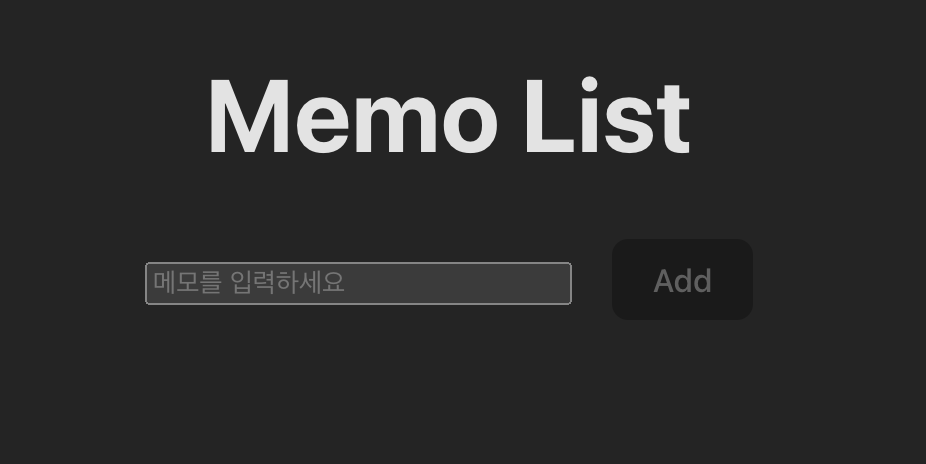
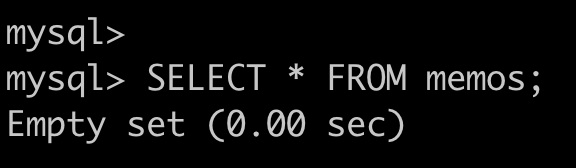
결과
1. 첫 화면
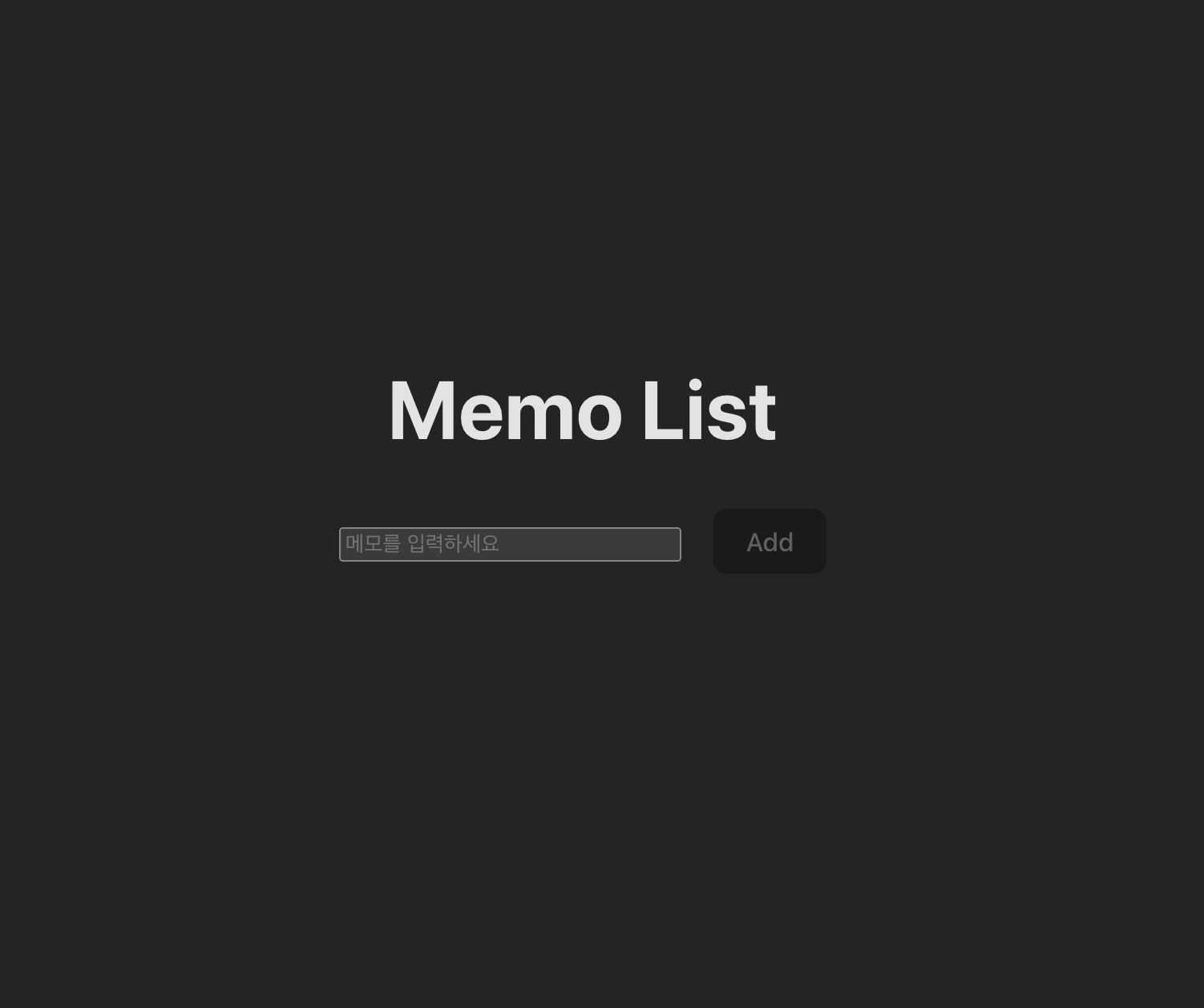
2. 저장 화면
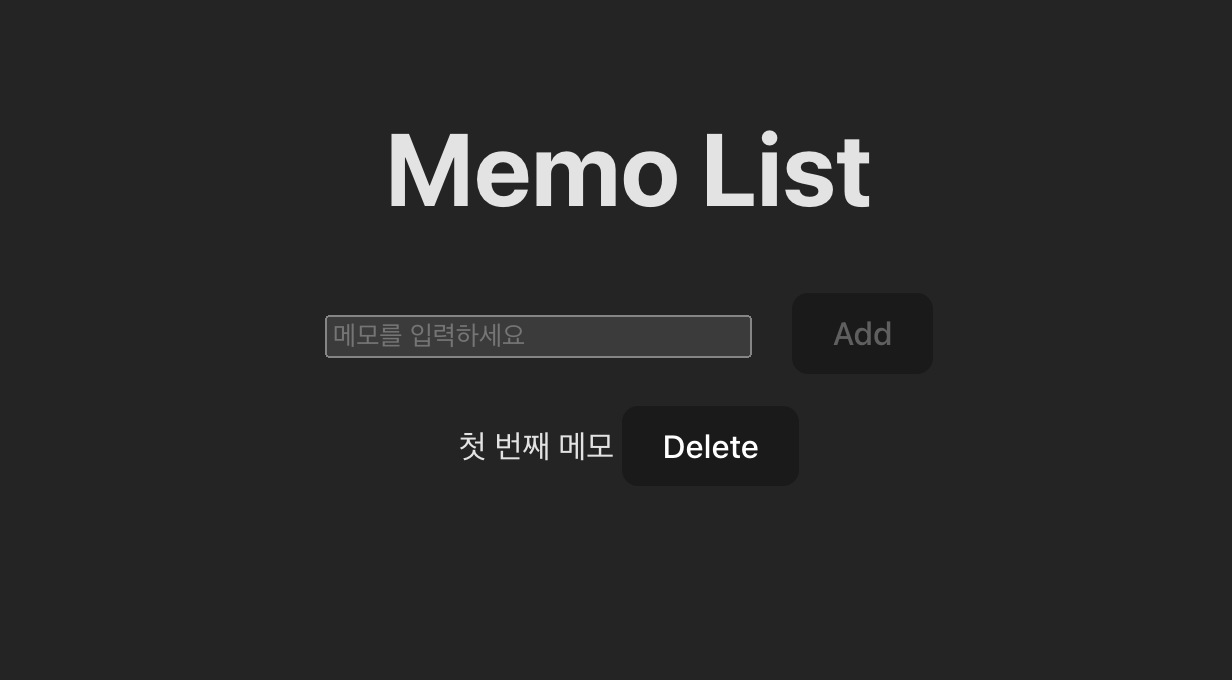
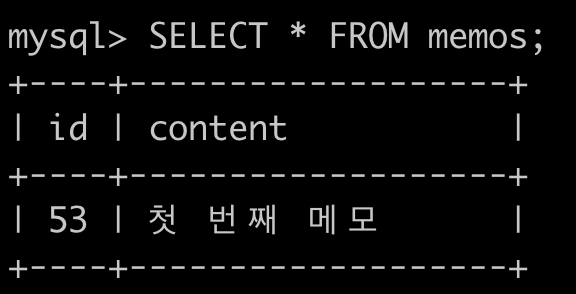
3. 수정 화면
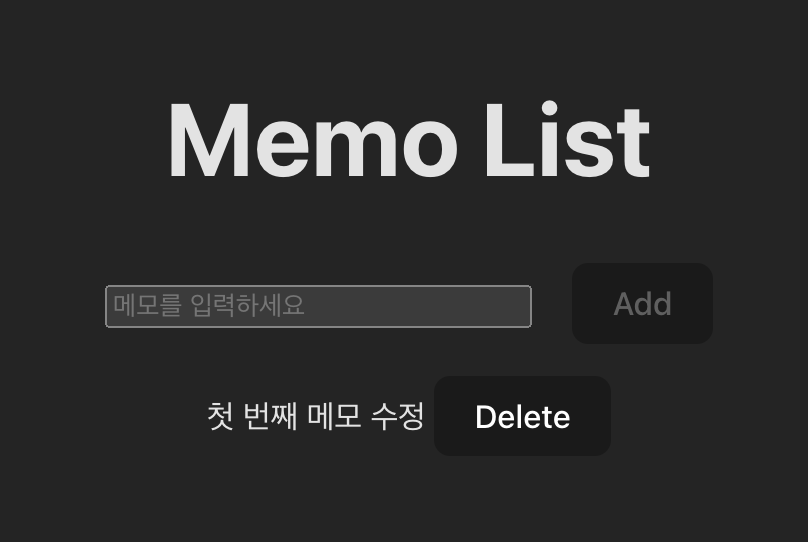
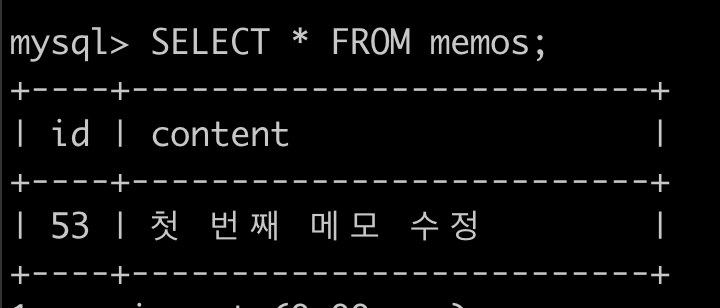
4. 삭제 화면
개발 환경 구성과 간단한 Memo App 개발을 끝냈다.
다음 글은 배포다.
'AWS' 카테고리의 다른 글
| [개발-배포-자동화] 1. 개발 : FastAPI + Svelte + MySQL 환경구성 (0) | 2023.10.31 |
|---|